Trying to transfer SMS from Fig to Wonder. Created the backup on the Fig and on the Wonder phone it has a backup app that specifically says it can back up from Fig backups but it is showing “no backup found”. Anyone have an idea how to force it to find it or do I have the wrong backup format or something?
Can you post a screenshot so I can better identify the problem?
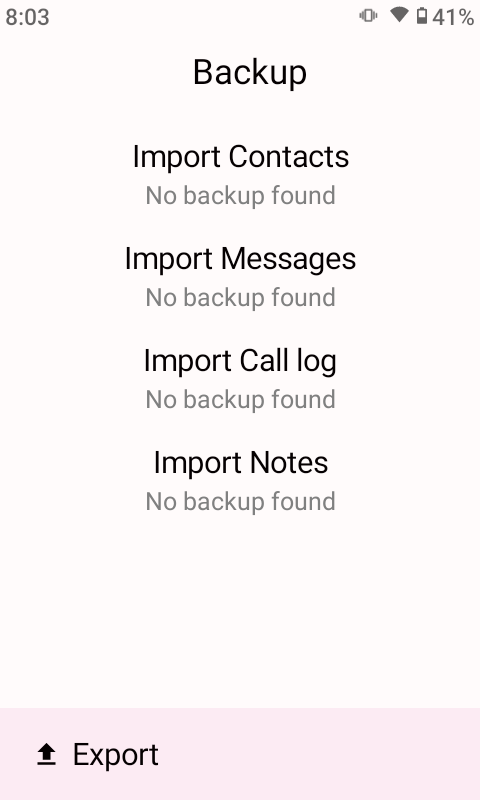
Try putting it in the “Backup & Restore” folder
Did you try clicking the “Import Messages” words?
Tried that.
Yes what’s very strange is that only if you click it really quick after you switch to the “Import” Tab does it let you navigate to the folder. Otherwise it is not clickable. Is that a bug? I don’t understand why it’s such a finicky app.
And then when I navigate to the folder of the fig backup zip, it reads it but it says zero messages to import.
Try making a SMS backup on another phone to test to see if its just FIG’s issue or Wonder’s issue
I’m trying to make a backup on the Wonder itself and then re-importing it and it doesn’t seem to work.
Backup on wonder and reimport on wonder doesn’t work?
Could be I didn’t play with it for enough hours but it doesn’t seem to read its own backup.
It does read " 3 messages in backup" But doesn’t actually import anything to the message app.
Running latest version of Wonder OS.
Could be it’s just an incomplete feature like some of the other things on this phone or maybe I’m doing something wrong. Maybe it’s the type of thing you have to turn it off and turn it on in between every step. I don’t know, wanna know if anyone else has any experience with this.
EDIT: After a bunch of turning on and turning off, it does read its own backup and can restore from it but still not from the FIG backup
Sorry for the rapid posting:
Fig backup file is around 2.5 GB. Tried turning off the MMS option on the FIG but to the best of my knowledge it doesn’t work - because it still takes an hour and shows “backing up MMS” and is a large 2.5 GB file
Got this message from a friend a few weeks ago when he had issues transferring messages from Fig To Wonder:
contacted Wonder about this, they advised to redo the import and it worked, I got everything Messages, pictures and voice notes. So the fig backup works perfectly to import to Wonder, if it gives issues on the first try just need to import again.
The 2.5GB is probably a lot of junk like PDF files.
You could try with this tool to remove MMS to see if SMS only would work to import to the Wonder. Use the “Clean up your backup” option and select SMS only. (Converting to wonder won’t help because it technically converts it to a fig backup file under the hood.)
1 Like
i have a tool to convert it properly pm me by emailing samsclubyid@gmail.com
Before you posted this here, I worked so hard trying to find the link that you posted in the forum previously… Then when I eventually found that I was just met with a “Fig and Wonder have the same format” message. Totally disregarded the other parts of the website just because I was frustrated. And now once you mention the clean up, I played around with the settings and eventually did get the Wonder to recognize the back-up and also restore it. It took a bunch of tinkering but worked eventually
Thanks @Python did you create the website? Really nice, clean, and simple. Much appreciated.
Also thanks to @sams-club for his offer to help too.
3 Likes
It’s my site, thanks for the feedback
I actually added that clean up option while I was writing my message here yesterday…
Would you maybe share how u eventually got your messages onto the Wonder? And was it with MMS?
Without MMS and group. I dont have a normal coherent guide. I just played around with it, used your site, turned phone off and on a few times, still didnt import, and then eventually it worked.
1 Like
4 posts were split to a new topic: Amazing Offline Windows Tool: Tons Of Useful Stuff All In One!